DOCUMENTATION & CHANGELOG

Edge Release Notes
A continuous record of new capabilities, workflow enhancements, and platform performance updates designed for independent life insurance agents.
CHANGELOG FEED
Recent Updates
A continuous, verified audit of platform capabilities, schema upgrades, and infrastructural improvements across Edge
v1.0.0
September 28, 2026
Edge is out of beta!! 🚀 Version 1.0 is live in your account today.
This Release Notes page is where every Edge update gets written down. Each release will get its own entry with the newest at the top. If something looks different in your account, please check here first.
A massive THANK YOU to everyone who used Edge through the beta and told us what was working and what wasn't working. 90% of the updates below came from the calls and emails we've been having with you.
Support
This is where we want to stand head and shoulders above our competition. Timely and personalised responses. No AI Chatbots or auto responses. You now have a named team; Phil (General Manager) and Brent (Agent Success Manager) handle every Edge question. Beyond that, as Edge is built on GHL you also have access to 49 specialist premium support agents via us.
How to reach us:
• Email [email protected]
• Reply to any email from us
What to expect:
• A reply within one business day (US hours)
• If it's a bug, we'll tell you when it's fixed, not just that we've logged it
• If it's something Edge can't do yet, we'll either incorporate it into a future product update, give workaround guidance or explain if it's not possible.
There was some turbulence during the beta and while the old platform was being retired. That's now behind us and we're really looking forward to supporting you to get the most out of Edge and achieve your APV goals.
What's new in 1.0:
Re-Engage automation
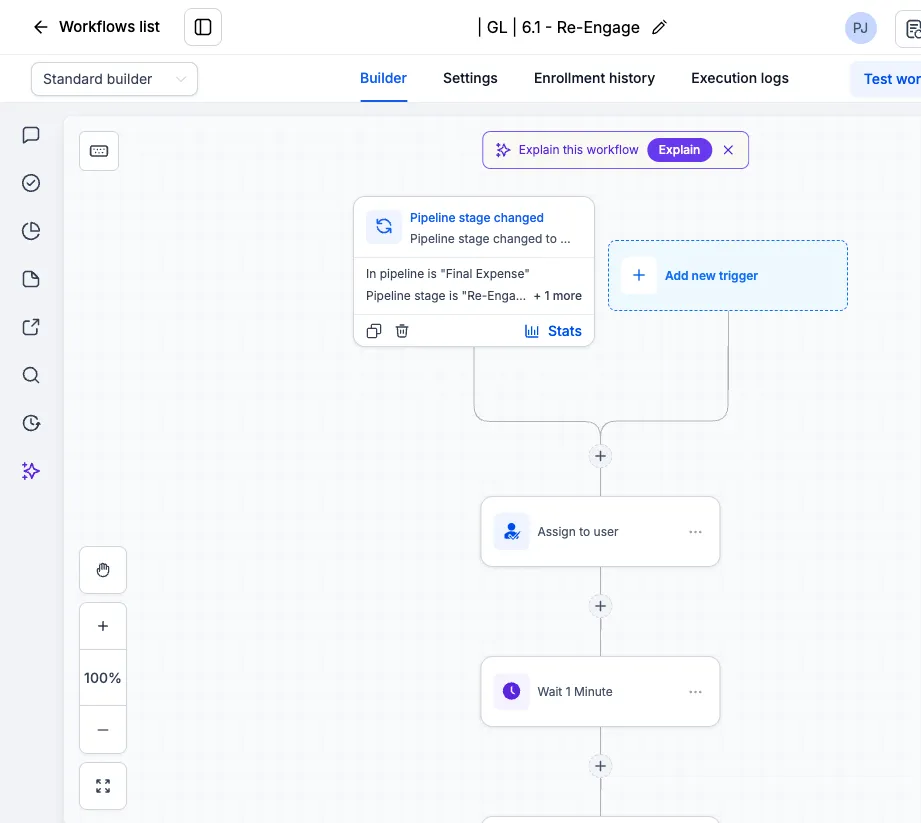
A new pipeline stage and automation for leads that went quiet. Move a lead to the Re-Engage stage, and ensure the contact has the tag active workflow, and Edge runs a five-touch drip over 30 days. General Life leads then hand off to the existing 30/60/90/365 reactivation. Final Expense leads stop at day 30.
This is separate from the New Lead Follow Up sequence. Use it for leads who booked and ghosted, no-showed, or stopped replying part way through. It's your call which leads go in. Edge won't move anyone into it automatically.
Updated contact view
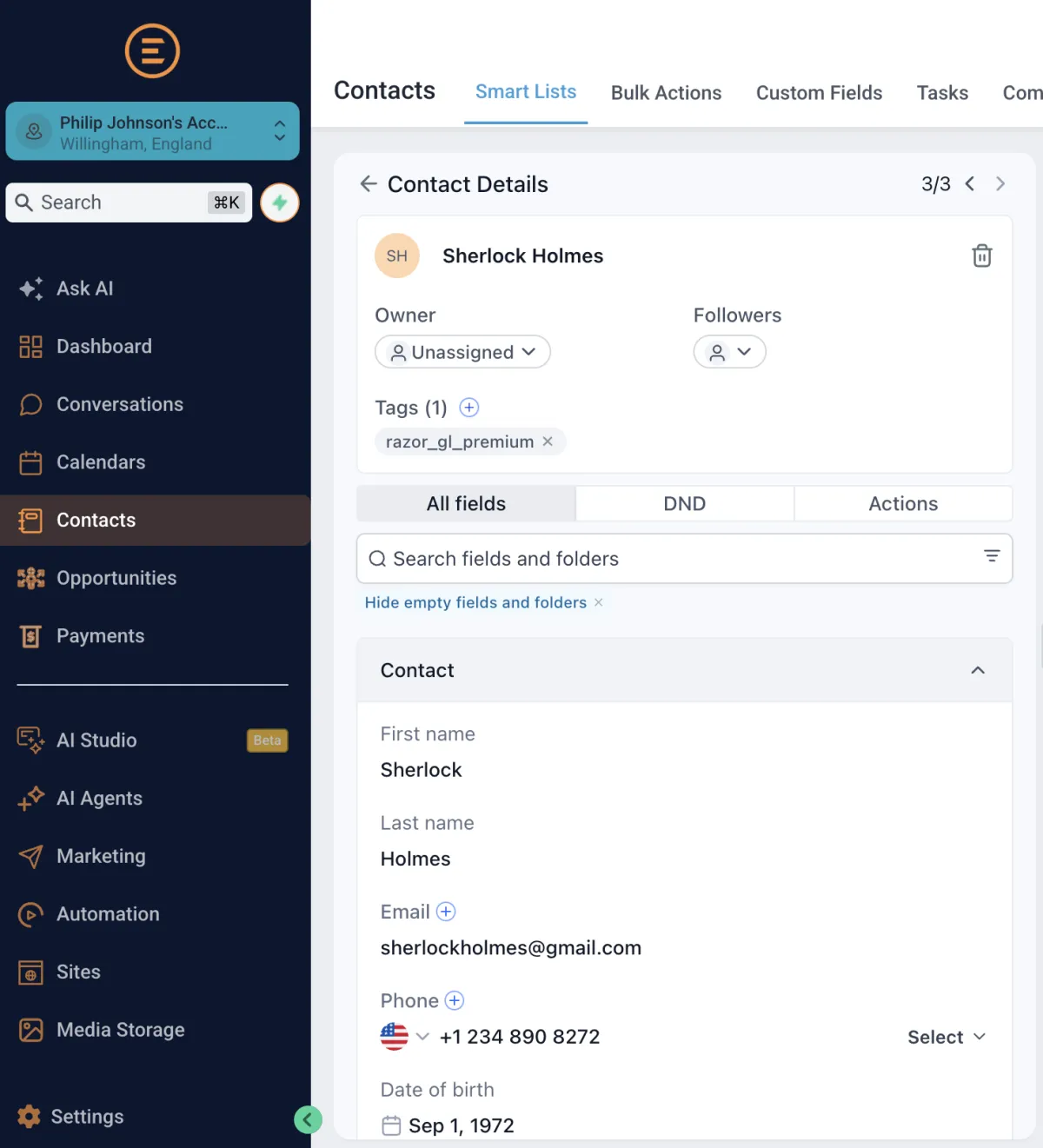
The contact record now shows the things you need first: Lead Data (Pre-populated by RR) showing all of the information we've already captured on the lead without scrolling or digging through custom fields. We also encourage agents to use the filter "Hide empty fields and folders"
Simplified dashboard
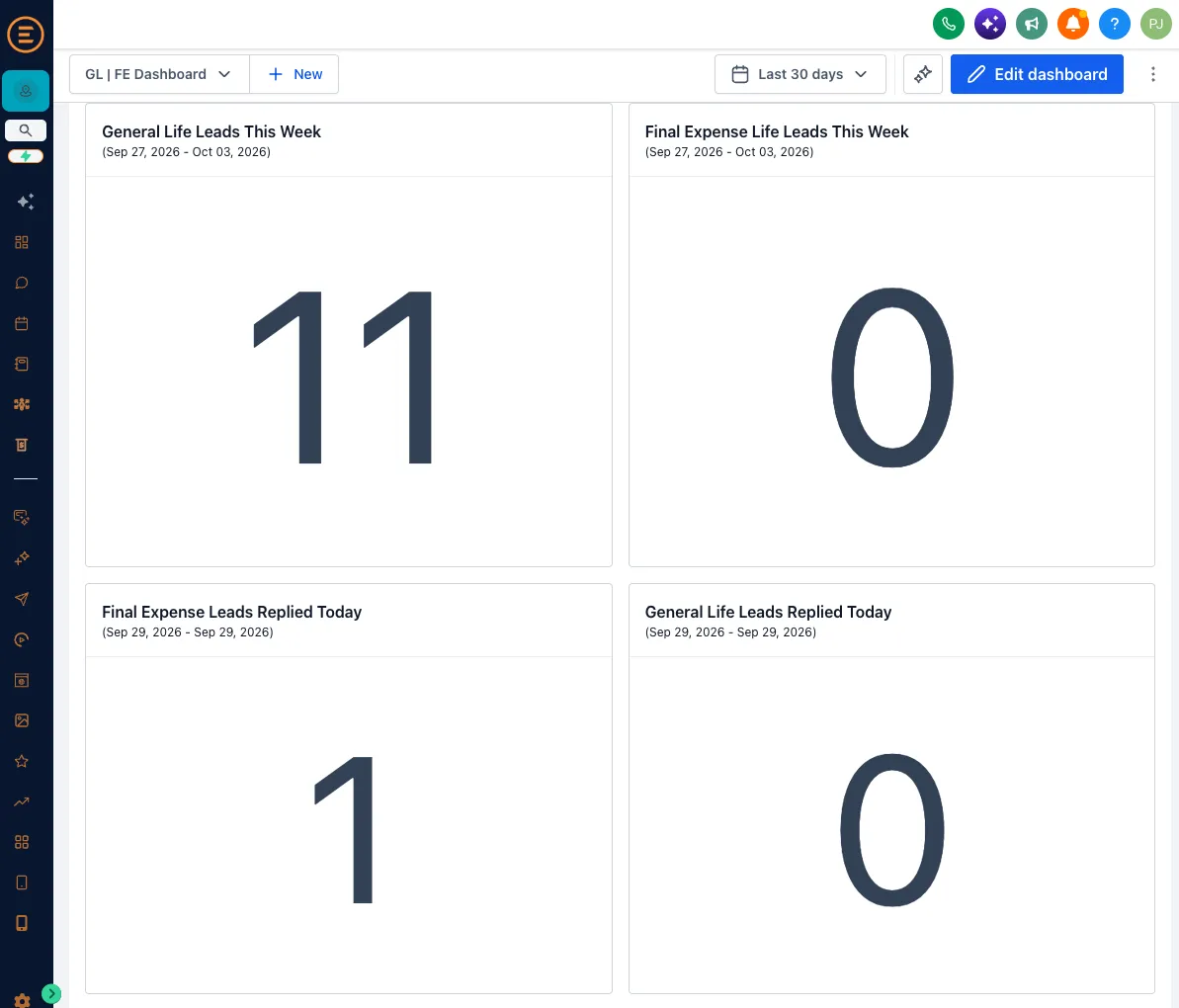
The home dashboard has been cut back to the numbers that matter for an agent working leads. We've also added a new Dashboard "GL | FE Dashboard" showing how many leads have been released this week.
Import your older Razor Ridge leads
You can now bring older Razor Ridge leads into Edge and put them through the Re-Engage automation. If you'd like help with the import, email us and we'll walk you through it.
Power dialler
The power dialler has been in Edge since the start, but it wasn't obvious where it was or how to use it.
It's a single line dialler. Edge queues up your leads and calls them one after another from your browser. When a call ends, you log the outcome, add a note if you want, and it moves straight on to the next lead. Nothing dials in parallel, so you're never connected to someone before you're ready to talk.
You don't have to build the queue yourself. As soon as a lead replies to your automation, Edge adds them to your call queue automatically, General Life and Final Expense alike.
How to use it:
1. Go to Conversations, then Manual Actions. Every lead that's replied is sitting there waiting for a call.
2. Click Let's Start. Edge dials the first lead using your computer's microphone.
3. When the call ends, mark it as no answer, busy, voicemail or completed, add any notes, and click Next Lead. The dialler moves on. The progress bar in the top right shows how far through the list you are, and you can pause any time.
Need to call several leads at once? Multi-line dialling isn't part of Edge. If you want it, you'd need a third-party dialler such as WAVV, billed separately by that provider. Calls through Edge's own dialler are billed at cost like any other Edge call.
Fixed
• Tasks were silently not created for contacts with no assigned owner. Contacts are now assigned on intake so tasks fire every time.
• Your name was showing incorrectly in some text messages. Fixed.
• Leads receiving too many notifications in the run up to an appointment.
Coming soon
• Call feedback. Rate a call after it ends and tell us what worked.
• Referral scheme. Bring another agent onto Edge and both of you get something for it.
No dates yet. We'll only put a date on something once it's built and tested.